
Thursday, February 16, 2012
CCAC Newsletter and Mobile CART
The first edition of the CCAC Newsletter is online! And it's got an interview with me about my mobile CART rig on page 4. I'm still intending to go over that in more detail on this blog (hopefully with lots of pictures or maybe even a video), but if you're interested in the basics, click through and check it out!

Monday, February 13, 2012
CART Problem Solving: Handling Slides in Remote Work
CART Problem Solving Series
Sitting Apart
Handling Slides
Classroom Videos
Latin
Superscript and Subscript
Schlepping Gear
Late Hours
Expensive Machines
Communicating Sans Steno
Cash Flow
Lag
Summer
Test Nerves
Ergonomics
Speech Recognition, Part I
Speech Recognition, Part II
Speech Recognition, Part III
Speech Recognition, Part IV
CART PROBLEM: A remote CART class involves many detailed PowerPoint slides.
I'm currently providing CART for a medical student in his second year of medical school. The school is located outside of the US, so he wasn't able to find an onsite CART provider, though he does have two onsite ASL interpreters there to help with his lab and clinical classes. Fortunately the classroom has an excellent AV system with wired broadband internet access; they record videos of all lectures for the students to use while studying, so I'm able to get crystal clear audio, direct from the professor's microphone. This alone cuts down on a lot of the issues I usually have to contend with when providing remote CART. But, of course, since I'm not in the room, I can't just look to the front of the class to see the explanatory slides used to accompany each lecture. The school is very good about providing me with those slides -- sometimes in PowerPoint format, sometimes in PDF -- at least a few days before each class, so I can use them to prep my dictionary with all the difficult medical terminology ahead of time. Even so, it can sometimes be difficult to follow the lecture without the images and diagrams being referred to, and occasionally it's difficult to make out what a professor's saying, especially if they have a non-standard accent, unless I'm able to see the word written down in front of me.
This is what I did to compensate for not being able to see the slides as they're projected to the students in the actual classroom:
* I downloaded a program called Autohotkey.
* I already owned a Vpedal from my days as a transcriptionist, so all I had to do was write a very simple Autohotkey script containing the following two entries:
Joy2::Send {Click}{PgDn}
Joy1::Send {PgUp}
That made it so that, whenever I ran Autohotkey, my foot pedal would send a mouseclick and then a pagedown command to whatever was located under the mouse cursor.
* I set up a second monitor (you can see it in my home office photo) next to my laptop, and I always make sure to position the mouse cursor somewhere in the real estate controlled by the second monitor before every class.
* The beauty of this setup is that my proprietary steno software can be set to "top window"; it takes focus from any other window as soon as I start writing. But with a click of my foot pedal, the mouse cursor refocuses the window to the slide, presses page down (which advances one slide in both Adobe Reader and PowerPoint, so it doesn't matter which format the slides are in), and then my steno software is free to take the focus back a second later. If I want to scroll up, I just need to scroll down one page to get focus, and then I can use the pedal's other button to send the "page up" command as many times as I like.
* When the class is over, I turn off Autohotkey, and the pedal automatically turns back into a controller for Winamp, the audio software I use in my transcription work. It couldn't be easier! Ever since setting this up, I've had no fear of anatomical diagrams or dense, fast-paced pharmacology lectures. Having the slides for reference has increased my accuracy and confidence enormously. The foot pedal allows my hands to stay on the keyboard, so I'm able to keep writing throughout, never missing a beat. It's been absolutely invaluable, and I recommend it to any remote providers who are lucky enough to get lecture slides before each class. The extra monitor and foot pedal are a small price to pay for the convenience of being able to navigate through the lecture with a tap of your toe.
Sitting Apart
Handling Slides
Classroom Videos
Latin
Superscript and Subscript
Schlepping Gear
Late Hours
Expensive Machines
Communicating Sans Steno
Cash Flow
Lag
Summer
Test Nerves
Ergonomics
Speech Recognition, Part I
Speech Recognition, Part II
Speech Recognition, Part III
Speech Recognition, Part IV
CART PROBLEM: A remote CART class involves many detailed PowerPoint slides.
I'm currently providing CART for a medical student in his second year of medical school. The school is located outside of the US, so he wasn't able to find an onsite CART provider, though he does have two onsite ASL interpreters there to help with his lab and clinical classes. Fortunately the classroom has an excellent AV system with wired broadband internet access; they record videos of all lectures for the students to use while studying, so I'm able to get crystal clear audio, direct from the professor's microphone. This alone cuts down on a lot of the issues I usually have to contend with when providing remote CART. But, of course, since I'm not in the room, I can't just look to the front of the class to see the explanatory slides used to accompany each lecture. The school is very good about providing me with those slides -- sometimes in PowerPoint format, sometimes in PDF -- at least a few days before each class, so I can use them to prep my dictionary with all the difficult medical terminology ahead of time. Even so, it can sometimes be difficult to follow the lecture without the images and diagrams being referred to, and occasionally it's difficult to make out what a professor's saying, especially if they have a non-standard accent, unless I'm able to see the word written down in front of me.
This is what I did to compensate for not being able to see the slides as they're projected to the students in the actual classroom:
* I downloaded a program called Autohotkey.
* I already owned a Vpedal from my days as a transcriptionist, so all I had to do was write a very simple Autohotkey script containing the following two entries:
Joy2::Send {Click}{PgDn}
Joy1::Send {PgUp}
That made it so that, whenever I ran Autohotkey, my foot pedal would send a mouseclick and then a pagedown command to whatever was located under the mouse cursor.
* I set up a second monitor (you can see it in my home office photo) next to my laptop, and I always make sure to position the mouse cursor somewhere in the real estate controlled by the second monitor before every class.
* The beauty of this setup is that my proprietary steno software can be set to "top window"; it takes focus from any other window as soon as I start writing. But with a click of my foot pedal, the mouse cursor refocuses the window to the slide, presses page down (which advances one slide in both Adobe Reader and PowerPoint, so it doesn't matter which format the slides are in), and then my steno software is free to take the focus back a second later. If I want to scroll up, I just need to scroll down one page to get focus, and then I can use the pedal's other button to send the "page up" command as many times as I like.
* When the class is over, I turn off Autohotkey, and the pedal automatically turns back into a controller for Winamp, the audio software I use in my transcription work. It couldn't be easier! Ever since setting this up, I've had no fear of anatomical diagrams or dense, fast-paced pharmacology lectures. Having the slides for reference has increased my accuracy and confidence enormously. The foot pedal allows my hands to stay on the keyboard, so I'm able to keep writing throughout, never missing a beat. It's been absolutely invaluable, and I recommend it to any remote providers who are lucky enough to get lecture slides before each class. The extra monitor and foot pedal are a small price to pay for the convenience of being able to navigate through the lecture with a tap of your toe.
Monday, February 6, 2012
CART Problem Solving
CART Problem Solving Series
Sitting Apart
Handling Slides
Classroom Videos
Latin
Superscript and Subscript
Schlepping Gear
Late Hours
Expensive Machines
Communicating Sans Steno
Cash Flow
Lag
Summer
Test Nerves
Ergonomics
Speech Recognition, Part I
Speech Recognition, Part II
Speech Recognition, Part III
Speech Recognition, Part IV
This poor blog has been lying fallow while I've been focusing on The Plover Project and keeping busy with all my CART, medical journal transcription, and theater captioning work, but this week I was just informed that one of my CART clients had dropped a class, leaving me with six more hours in my weekly schedule than I had anticipated. In order to put them to good use, I've decided to start a new series on this blog: CART Problem Solving, weekly discussions of various issues that come up in the daily life of a CART provider, and how I've tried to handle them. Some solutions are more satisfying than others, but they're all real-life issues that I've experienced in my work over the past several years. I've already drawn up a list of 10 CART problems on my hard drive, and I've just set a weekly reminder in Remember the Milk to post a problem with its solution to this blog every Monday. I had a pretty good track record the last time I gave myself a rigorous schedule on this blog (the NatCapVidMo Project), so I'm hoping this will be just the incentive I need to get it going again. Okay, let's do the first one!
CART PROBLEM: A CART client doesn't want to sit next to the CART provider.
This problem came up for me at the beginning of the semester, for the class I do every Monday morning. The client is a freshman, and he feels self-conscious when he has to sit next to a total stranger with a laptop on a tripod and lots of other weird, conspicuous equipment. He needs the CART to perform well in the class, but his embarrassment was so great that he asked me to sit far away from him on the first day, and told me he'd just read the transcript when I sent it to him that evening. I complied, but when I looked over I could see him straining to understand what the professor was saying. I knew that just reading the transcript after the fact wasn't enough for him to get the full benefit from the class. He needed to have the words in front of him as they were being said, so that he could interact with the professor and the other students in realtime as the class went on. I noticed that he had his laptop with him, so at the end of class I asked him if he would like me to send the realtime feed to his laptop during the next class. He agreed enthusiastically, so when I sent him the morning's transcript I also emailed him a URL he could use to access the CART feed using his web browser. The next week, I set up my computer in the front of the class (near a power outlet, another advantage for me; the student liked sitting in the back, away from all the outlets) and plugged in my 4G wireless modem. Then I started a job on StreamText, with a job name corresponding to the URL I had given him. He logged into the chat room, which let me know that he was present in the classroom (it's a class of over 100 students in a very wide room, and I didn't want to make him come all the way over to check in with me in person, but the disability office doesn't want me to write unless the student is present, so that there isn't an incentive to just read the transcripts instead of showing up every day.) Since I was sitting in the front of the room, I could hear the professor and all the other students very clearly, and he was able to hang out in the back with his laptop, looking just like every other plugged-in freshman in the room.
Some remote CART companies offer this problem as a reason for a university to contract with remote rather than onsite providers, but as you can see, I'm able to offer all the advantages of remote CART:
* Letting the student blend in with their peers
* Letting the student sit wherever they want in the room
* Giving the student a realtime transcript that lets them scroll backward and forwards at will
without any of the disadvantages, such as:
* The inability to hear anyone in the classroom other than the person wearing the microphone (usually the professor, though sometimes remote CART classes use the student's laptop microphone, which usually results in terribly substandard audio quality).
* Lack of access to PowerPoint slides and other visual cues present in the classroom.
* Data disruptions caused by spotty Wi-Fi signals. (Streamtext is very low-bandwidth, so it tends to be quite stable, unlike the higher bandwidth VOIP applications usually used to send audio to the remote provider, which can cut out, fuzz up, or disconnect unpredictably.)
This solution lets me provide the more consistent service that onsite CART is known for, while keeping a low profile and letting the student view the text discreetly on his own computer. Stay tuned next week for another CART problem and its corresponding CART solution!
Sitting Apart
Handling Slides
Classroom Videos
Latin
Superscript and Subscript
Schlepping Gear
Late Hours
Expensive Machines
Communicating Sans Steno
Cash Flow
Lag
Summer
Test Nerves
Ergonomics
Speech Recognition, Part I
Speech Recognition, Part II
Speech Recognition, Part III
Speech Recognition, Part IV
This poor blog has been lying fallow while I've been focusing on The Plover Project and keeping busy with all my CART, medical journal transcription, and theater captioning work, but this week I was just informed that one of my CART clients had dropped a class, leaving me with six more hours in my weekly schedule than I had anticipated. In order to put them to good use, I've decided to start a new series on this blog: CART Problem Solving, weekly discussions of various issues that come up in the daily life of a CART provider, and how I've tried to handle them. Some solutions are more satisfying than others, but they're all real-life issues that I've experienced in my work over the past several years. I've already drawn up a list of 10 CART problems on my hard drive, and I've just set a weekly reminder in Remember the Milk to post a problem with its solution to this blog every Monday. I had a pretty good track record the last time I gave myself a rigorous schedule on this blog (the NatCapVidMo Project), so I'm hoping this will be just the incentive I need to get it going again. Okay, let's do the first one!
CART PROBLEM: A CART client doesn't want to sit next to the CART provider.
This problem came up for me at the beginning of the semester, for the class I do every Monday morning. The client is a freshman, and he feels self-conscious when he has to sit next to a total stranger with a laptop on a tripod and lots of other weird, conspicuous equipment. He needs the CART to perform well in the class, but his embarrassment was so great that he asked me to sit far away from him on the first day, and told me he'd just read the transcript when I sent it to him that evening. I complied, but when I looked over I could see him straining to understand what the professor was saying. I knew that just reading the transcript after the fact wasn't enough for him to get the full benefit from the class. He needed to have the words in front of him as they were being said, so that he could interact with the professor and the other students in realtime as the class went on. I noticed that he had his laptop with him, so at the end of class I asked him if he would like me to send the realtime feed to his laptop during the next class. He agreed enthusiastically, so when I sent him the morning's transcript I also emailed him a URL he could use to access the CART feed using his web browser. The next week, I set up my computer in the front of the class (near a power outlet, another advantage for me; the student liked sitting in the back, away from all the outlets) and plugged in my 4G wireless modem. Then I started a job on StreamText, with a job name corresponding to the URL I had given him. He logged into the chat room, which let me know that he was present in the classroom (it's a class of over 100 students in a very wide room, and I didn't want to make him come all the way over to check in with me in person, but the disability office doesn't want me to write unless the student is present, so that there isn't an incentive to just read the transcripts instead of showing up every day.) Since I was sitting in the front of the room, I could hear the professor and all the other students very clearly, and he was able to hang out in the back with his laptop, looking just like every other plugged-in freshman in the room.
Some remote CART companies offer this problem as a reason for a university to contract with remote rather than onsite providers, but as you can see, I'm able to offer all the advantages of remote CART:
* Letting the student blend in with their peers
* Letting the student sit wherever they want in the room
* Giving the student a realtime transcript that lets them scroll backward and forwards at will
without any of the disadvantages, such as:
* The inability to hear anyone in the classroom other than the person wearing the microphone (usually the professor, though sometimes remote CART classes use the student's laptop microphone, which usually results in terribly substandard audio quality).
* Lack of access to PowerPoint slides and other visual cues present in the classroom.
* Data disruptions caused by spotty Wi-Fi signals. (Streamtext is very low-bandwidth, so it tends to be quite stable, unlike the higher bandwidth VOIP applications usually used to send audio to the remote provider, which can cut out, fuzz up, or disconnect unpredictably.)
This solution lets me provide the more consistent service that onsite CART is known for, while keeping a low profile and letting the student view the text discreetly on his own computer. Stay tuned next week for another CART problem and its corresponding CART solution!
Tuesday, September 13, 2011
Home Office Photo
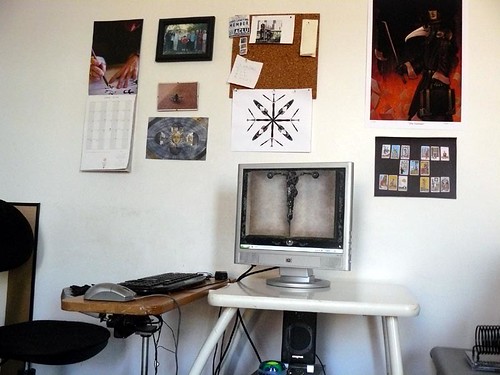
As promised, a picture of my home office. I only moved in last April, but by now it's hard to imagine life without it. Mouse over for annotations.
Monday, August 29, 2011
The Return
 My parents' deck in Missoula, Montana
March! I last posted in March! That's mind-blowing. So much has happened. I moved into my new apartment and unpacked my gear in my snazzy new home office (pictures forthcoming). I had a lovely fruitful summer captioning classes for medical school, art school, architecture school, a dental school admissions test prep class, and even two action-packed days at the United Nations. I also did a ton of medical journal transcription and captioned a few great plays, like Measure for Measure at Shakespeare in the Park. And, of course, as always, I captioned That Keith Wann Show every Wednesday night at 8:00 p.m. EST. I also spent the summer polishing up my Python programming skills by taking some classes from Codelesson and rallying support behind the scenes for the next exciting phase of The Plover Project. Now it's the end of August, and my regular fall semester CART schedule starts in just a few hours. It was supposed to start yesterday, but the storm postponed it by a day. It's so strange to think that my working-at-home days are done for now, and I'm going to be almost entirely onsite (at two or possibly three different colleges) until December.
There was so much I wanted to get done this summer! Blogging, writing articles for StenoKnight.com, improving my ASL skills (I've been on hiatus since January, but I'm planning to start up again in a month), all sorts of important and improving activities. But when I wasn't working or doing Python homework, I found myself mostly doing fun stuff instead. Hanging out on Turntable.fm (I'm addicted to the "Classical of Any Kind" room); working out with EA Sports Active on my new Wii; having picnics with my partner in Fort Tryon Park; floating down the Clarkfork River in Montana for my brother's birthday; reading tons of ebooks on my Droid 2; and generally having a delightfully mellow and delightful time of it. So I wasn't quite as active on the internet as I might have been, but I'm going back to work feeling happy and refreshed. My schedule still isn't completely nailed down yet -- a common hazard of CART providers, though worse this year than ever -- but once it is, I'm going to go to that list of blog topics I drew up a few weeks ago ("How to CART a Latin class"; "The Guild System versus the Firm System in the Economics of Captioning"; "Why a 4G modem is a Walkaround Captioner's Best Friend"; "What Do You Do With a 2-Pound Roll of Gaffers Tape?"; et cetera) and try to whittle down some of the backlog. The summer can't last forever, y'know. It's time to get down to business.
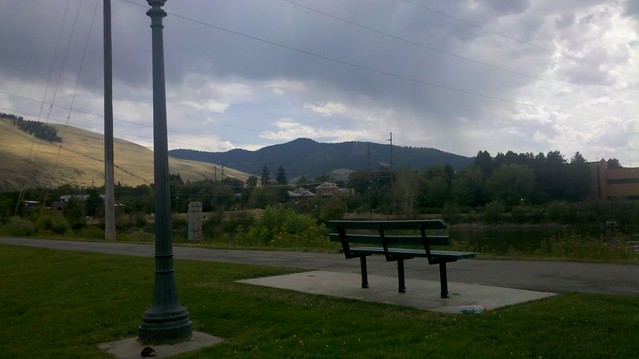
A bench overlooking the Clarkfork River
Thursday, March 31, 2011
How Coworking Saved my Home Life

The floor plan of my current apartment
Manhattan apartments are famously small. Mine has a bedroom, a bathroom, a short hallway, and another room that we use as our kitchen, living room, dining room, music room, and office. The office part consists of a tiny IKEA desk perched in the corner next to the fire door, between my partner's synthesizer keyboard and the futon mattress that serves as our couch. There's enough room for me, a chair, and my steno machine, but not much else. This setup was more or less okay during the school year, when I mostly worked onsite at the various universities I CARTed for, but in the summer, when the CART work was on hold and I spent my days doing (more time-consuming, less lucrative, but readily available) offline transcription work, things occasionally got a little tense.
My desk, sandwiched between the piano and the fire door
Yes, there are definite advantages to working at home. I didn't have a dress code. I could raid the fridge between jobs. The cat was always eager to help with administrative tasks, especially if they involved crinkly paper. And, naturally, that famous old work-at-home chestnut, the 10-second commute. But over the course of a long, sticky summer, when it was just me and my machine on the same 2 x 2-foot patch of floor day after day -- or, on days when my partner wasn't working, the two of us trying to give each other a little space without overheating physically or mentally -- I started hankering for an offsite office.
Coworking is a relatively new concept, but it's caught on with small businesses and self-employed workers in many cities around the world. Essentially, it's just an affordable way to duplicate the amenities of a home office in a semi-public arena, to lessen the isolation and fuzzy work/life divide that can affect people confined to home offices. Choosing a freelance life over a full-time job means a good amount of autonomy, but many people miss the camaraderie to be found working alongside the same people every weekday. Coworking is an attempt to solve that problem.
It wasn't until the fall of my third year as a CART provider that I finally found my coworking co-op. When out in the field and between classes, I had been doing my transcript editing, class prep, and other unbillable work either in campus libraries or in various coffee shops nearby. Two of the universities I CARTed for offered free internet, and I was still new enough at freelancing that the idea of sitting down with a frothy drink and an apple turnover before taking out my steno machine for some transcription work seemed incredibly decadent and cool. I still enjoy working in coffee shops occasionally -- especially since getting my wireless 4G modem, so I'm not forced to stick to the ones that offer free internet -- but eventually the novelty started to wear a little thin. For one thing, the choice was always between refilling my glass every hour or being a freeloading jerk, and sometimes my workload outlasted either my appetite or my wallet. Also, if I ever wanted to take a phone call or go to the bathroom, I'd have to pack my gear into my backpack and take it with me, then unpack it all again when I got back -- even assuming the seat I'd left was still open. This wasn't a big deal when I was just editing transcripts on my laptop, but when I got a year-round transcription client that began sending me new audio files four or five days a week, it was a lot more cumbersome to juggle my laptop, steno machine, foot pedal, and bulky can headphones every time I felt like getting up.
Still, I was balancing things pretty well between campuses and coffee shops until I got a job at a new university that didn't offer free internet access and wasn't willing to give a registration code to an independent contractor like me. To make things worse, the only place nearby that offered WiFi was McDonald's; there wasn't a coffee shop for blocks. I knew that a regimen of daily cheeseburgers wouldn't do me any favors in the long run, so I went looking for other options. At that time, the only wireless modems on the market were 3G, not really quick enough to do what I needed, so I went online to see if there was any cheap office space available in the area. To my surprise and delight, I discovered Common Spaces, a coworking co-op, only two blocks away! For $200 a month, I could get the use of a desk, high speed internet, a laser printer/scanner, a kitchen, a couch, a roof garden, a conference room for client meetings, the vicarious productivity of a few dozen coworkers, and all the free coffee I could drink. Who could say no to that?

Two of Common Spaces' many seating options.
I signed up that fall and adored it immediately. My coworkers were fascinating entrepreneurs and freelancers, with businesses ranging from green roof landscaping to web design to miniature cupcake manufacture, and just having people around me working diligently seemed to dampen my impulse to procrastinate. Best of all, none of those people were either my boss or my underlings, and I didn't have to answer to any of them. It had all the advantages of a traditional office, without any of the stifling elements that drove me to freelancing in the first place. I spent two semesters happily moseying between the university and the coworking space, but then both of my clients graduated, and I got a CART assignment at another university about a 15-minute walk away. Spring semester was over by then, and I briefly debated the idea of giving up the space and going back to the desk in my living room, but I just couldn't stand the thought of yet another summer crammed into a corner. For the next four months, I used the high speed commercial broadband at Common Spaces for nabbing dozens of per diem remote CART jobs, for writing new posts on the StenoKnight webpage, for doing my transcription work without feeling like I was bothering anyone with my sprawling setup, and of course, for working on Plover. A month after moving into Common Spaces, I'd posted an ad on the elevator's corkboard asking for Python lessons. That posting eventually turned into a collaboration between me and a freelance programmer who was working in a different co-op on a different floor of the building. Weekly Python lessons turned into weekly development sessions, and the world's first open source steno software was born. Even if I'd gotten nothing else out of working there, finding Plover's programmer was more than worth the rent.

The roof garden at Common Spaces
Summer changed to Fall, and Fall to Spring, and I kept enjoying the benefits of coworking. Instead of coming home after CARTing the day's classes and flomping on the futon mattress for several more hours of work, I was able to get my work done at the office, then come home and help with dinner or just hang out, without the ever-expanding bubble of my freelancing schedule constantly threatening to engulf the rest of my life. I got a steady remote CART client, which made me very grateful that I could use the office's rock solid internet connection instead of my apartment's unpredictable cable modem. I enticed a consultant friend to sign up for flex space too, so we could eat lunch together and occasionally talk shop; we're in totally different industries, but many parts of freelancing are universal. The office was a lifeline to me, and my job would have been unspeakably harder without it.
But...
You probably sensed that "but" coming, didn't you? Today I paid my last monthly check to Common Spaces for the time being. Why? Because today I also signed a lease on a new two-bedroom apartment. Yep, I'm rejoining the ranks of the working-at-home. The last few years have been good ones, and I'm finally able to afford more than a three-room apartment. The new place has a living room that's just a living room, a kitchen that's just a kitchen, and -- I can hardly believe it -- an office that's just an office, with an actual door and everything. My remote CART work looks like it'll be moving to five days a week for the next few months, and it'll be nice to get out of bed at 7:20 a.m. instead of getting up at 6:00 (5:00, before the recent Daylight Savings switchover) and dashing for the train down to Brooklyn. I'm curious to see how much of a difference it'll make to have a room with a door, whether I'll be able to delineate my work life and home life or whether they'll start creeping back into each other. I know I'll miss my coworkers, the beautiful roof garden, and the vermicomposting bin I set up last May and have been maintaining with kitchen scraps ever since. In a way, I'm sure I'll also miss my one-hour one-way commute, which gave me time to read novels or listen to podcasts without worrying that I should be working. But having a dedicated desk with two monitors and all my stuff set up the way I like it will be a nice change from carrying all my gear on my back every day. (Common Spaces has a dedicated desk option, but it's double the cost of flex space.) Plus it looks like my next couple years of onsite CART will largely be centered around The Bronx, so keeping a home base in Brooklyn makes less sense than it did when I was working at several schools that were all a few subway stops from the co-op.
So once I get my home office set up the way I like it, I'm sure I'll post some pictures. I might drop by Common Spaces just to visit, and who knows? Maybe someday I'll even renew my membership. But whatever happens in the future, coworking has been an invaluable experience for me, and I can't recommend it highly enough.
Tuesday, March 22, 2011
How to Fail at Social Media
Step 1: Get a blog.
Step 2: Start writing on the blog, promising to update it regularly with entertaining tales of your work life, advice to aspiring students, and essays on the importance of coalition-building and advocacy.
Step 3: Receive emails (all of them informative, interesting, and encouraging) about recent blog posts.
Step 4: Freeze.
Step 5: Begin letting emails pile up. As they accumulate, become more and more stressed out about not finding the time or the words to answer them.
Step 6: The weight of the many unanswered emails (some from several months ago) should now be sufficiently oppressive that you feel guilty even thinking about blogging, tweeting, facebooking, or otherwise interacting with the internet.
Step 7: Continue not answering them. Continue not blogging. Keep at a low simmer for several months.
Step 8: ?
--
Yep, that's about the state of things. Sadly, my StenoKnight-related output has sunk drastically from the halcyon days of NatCapVidMo. I've got emails in my "@reply" folder dating back to October. Yikes. I keep telling myself, "There are only 67 of them. Just answer about five a day, and you'll be done in less than two weeks." But then the new urgent emails come in, I answer those instead, and the old ones get postponed another day. The inertia of not blogging builds on itself, and the whole idea of participating actively in a public forum gets more intimidating the less I do it. It's a sinkhole I want to get out of, but can't quite figure out how.
I get caught up in the daily churn of editing CART transcripts, sending out invoices, transcribing mp3s for my medical journal clients, prepping play scripts for captioning, and CARTing at five different universities every week, often starting at 6:00 a.m. (at least it's not 5:00 a.m. anymore, since Daylight Savings Time kicked in and brought me back into alignment with the time zone of my Caribbean-based remote CART client) and finishing up at 10:00 p.m., then realizing that there's not much time left over. I've definitely gotten a lot better about getting transcripts and invoices done on schedule without procrastinating, which was something that overwhelmed me a lot when I first started out, but I'm still having trouble getting in the habit of snatching those few spare minutes at a time -- in the break between classes, on the subway, at night before turning in -- and using them productively instead of frittering them away on webcomics or random YouTube videos.
On the plus side, I've continued to read Twitter pretty regularly, even though I've been tweeting quite a bit less than I used to. And even though my @reply folder still stares balefully at me whenever I log in to Gmail, at least I've managed to achieve Inbox Zero consistently for the last several weeks, with everything tidied up and shunted into its own digital pile. But this morning on the bus to work I listened to the social media episode of Freelance Radio and decided that something had to change. This paralysis isn't useful. I'm still going to answer all those emails eventually, but I'm not going to let them keep me from blogging. In a few weeks, my CART work will start tapering off and I'll be ready to shift gears into summer. Hopefully I'll be able to post a few things before then, but if not, I'm definitely going to make a firm commitment to set a significant portion of my time aside for interacting with CART clients and colleagues, reading the latest Deaf/HoH advocacy news, and pontificating about all the interesting issues I encounter on the job. There are all too few of us CART/Captioning professionals and consumers blogging these days (shout-out to StenoRay, Norma, Michael Janger, ACS, I Heart Subtitles, and the CCAC), and I want to do my part to keep the conversation going.
Step 2: Start writing on the blog, promising to update it regularly with entertaining tales of your work life, advice to aspiring students, and essays on the importance of coalition-building and advocacy.
Step 3: Receive emails (all of them informative, interesting, and encouraging) about recent blog posts.
Step 4: Freeze.
Step 5: Begin letting emails pile up. As they accumulate, become more and more stressed out about not finding the time or the words to answer them.
Step 6: The weight of the many unanswered emails (some from several months ago) should now be sufficiently oppressive that you feel guilty even thinking about blogging, tweeting, facebooking, or otherwise interacting with the internet.
Step 7: Continue not answering them. Continue not blogging. Keep at a low simmer for several months.
Step 8: ?
--
Yep, that's about the state of things. Sadly, my StenoKnight-related output has sunk drastically from the halcyon days of NatCapVidMo. I've got emails in my "@reply" folder dating back to October. Yikes. I keep telling myself, "There are only 67 of them. Just answer about five a day, and you'll be done in less than two weeks." But then the new urgent emails come in, I answer those instead, and the old ones get postponed another day. The inertia of not blogging builds on itself, and the whole idea of participating actively in a public forum gets more intimidating the less I do it. It's a sinkhole I want to get out of, but can't quite figure out how.
I get caught up in the daily churn of editing CART transcripts, sending out invoices, transcribing mp3s for my medical journal clients, prepping play scripts for captioning, and CARTing at five different universities every week, often starting at 6:00 a.m. (at least it's not 5:00 a.m. anymore, since Daylight Savings Time kicked in and brought me back into alignment with the time zone of my Caribbean-based remote CART client) and finishing up at 10:00 p.m., then realizing that there's not much time left over. I've definitely gotten a lot better about getting transcripts and invoices done on schedule without procrastinating, which was something that overwhelmed me a lot when I first started out, but I'm still having trouble getting in the habit of snatching those few spare minutes at a time -- in the break between classes, on the subway, at night before turning in -- and using them productively instead of frittering them away on webcomics or random YouTube videos.
On the plus side, I've continued to read Twitter pretty regularly, even though I've been tweeting quite a bit less than I used to. And even though my @reply folder still stares balefully at me whenever I log in to Gmail, at least I've managed to achieve Inbox Zero consistently for the last several weeks, with everything tidied up and shunted into its own digital pile. But this morning on the bus to work I listened to the social media episode of Freelance Radio and decided that something had to change. This paralysis isn't useful. I'm still going to answer all those emails eventually, but I'm not going to let them keep me from blogging. In a few weeks, my CART work will start tapering off and I'll be ready to shift gears into summer. Hopefully I'll be able to post a few things before then, but if not, I'm definitely going to make a firm commitment to set a significant portion of my time aside for interacting with CART clients and colleagues, reading the latest Deaf/HoH advocacy news, and pontificating about all the interesting issues I encounter on the job. There are all too few of us CART/Captioning professionals and consumers blogging these days (shout-out to StenoRay, Norma, Michael Janger, ACS, I Heart Subtitles, and the CCAC), and I want to do my part to keep the conversation going.
Subscribe to:
Posts (Atom)